P0610 Code: Control Module Vehicle Options Error – Diagnose & Clear with iCarsoft CR Eagle P
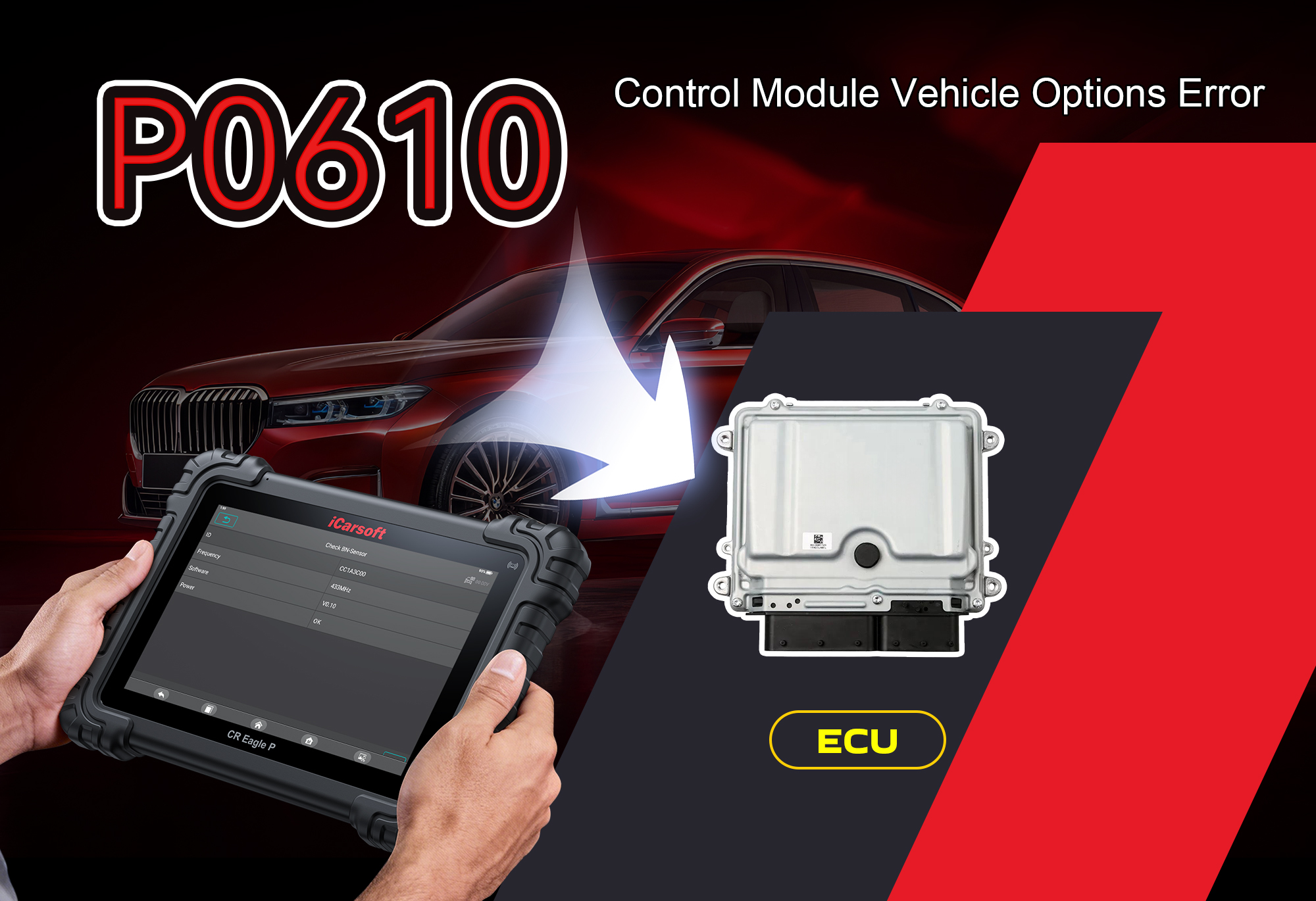
If your vehicle triggers a Check Engine Light, experiences erratic performance, or fails to recognize key features (e.g., transmission mode, fuel system settings), the P0610 fault code points to a critical powertrain control module (PCM) memory issue. P0610 is defined as Control Module Vehicle Options Error, an OBD-II powertrain code triggered when the PCM detects an internal memory failure or misconfigured vehicle option settings. This fault disrupts the PCM’s ability to communicate with other vehicle systems, leading to performance issues and potential system failures. Basic OBD scanners only identify the code, but the iCarsoft CR Eagle P professional diagnostic scanner—equipped with lifetime free Wi-Fi updates—lets you diagnose PCM software glitches, low battery voltage, or CAN bus wiring issues, and even assist with PCM reprogramming, all from home, avoiding costly dealer visits.
This code is most commonly reported in these models with known PCM configuration and CAN bus tendencies:
-
JAC Refine M5 2.0L (2018–2023)
-
Hyundai Elantra 1.6L G4ED (2016–2021)
What Is the P0610 Fault Code?
Official DTC Definition:
Control Module Vehicle Options Error
The PCM (powertrain control module) stores critical vehicle option data—such as engine type, transmission configuration, and emissions settings—in its internal memory. P0610 sets when the PCM detects a failure in this memory or identifies that the stored vehicle options do not match the actual vehicle configuration. This mismatch disrupts communication between the PCM and other control modules via the CAN bus, leading to erratic performance. Common triggers include outdated PCM software, low battery voltage, or damaged CAN bus wiring that interrupts data transmission.
-
Control Module (PCM): The vehicle’s “brain” that manages engine and transmission performance
-
Vehicle Options Error: Mismatch between stored PCM memory settings and the vehicle’s actual configuration
-
Core Issue: Internal PCM memory failure, misconfiguration, or disrupted data communication
-
Effect: Check Engine Light, erratic performance, failed system communication, and potential limp mode
Key Symptoms of P0610
-
Illuminated Check Engine Light (MIL) on the dashboard
-
Erratic engine performance (e.g., rough idle, hesitation, or stalling)
-
Transmission shifting issues (delayed or incorrect gear changes)
-
Vehicle features not functioning as intended (e.g., cruise control, traction control)
-
Low battery warning light (if voltage is the cause)
-
Intermittent loss of communication between the PCM and other control modules
-
Failed emissions readiness tests
-
Difficulty starting the vehicle (in severe cases)
Common Causes of P0610
-
Outdated or corrupted PCM software (most common cause)
-
Low battery voltage (below the PCM’s operating range)
-
CAN bus wiring issues (damaged, shorted, or corroded wires)
-
Loose or corroded electrical connectors in the PCM or CAN bus circuit
-
Internal PCM memory failure (rare but possible)
-
Incorrect PCM reprogramming during previous repairs
-
Voltage fluctuations from a failing alternator
-
Water damage to the PCM or CAN bus connectors
Real-World Repair Scenario
A 2020 JAC Refine M5 2.0L sets P0610 with erratic shifting and a Check Engine Light. Live data shows PCM voltage at 10.8V (normal: 11.5–14.5V). Inspection finds a failing alternator. Replacing the alternator stabilizes voltage and clears the code after PCM reset.
Why iCarsoft CR Eagle P Is Ideal for P0610 (Lifetime Free Updates)
Generic OBD scanners cannot diagnose PCM software issues, monitor CAN bus communication, or assist with reprogramming—critical for fixing P0610. The iCarsoft CR Eagle P delivers professional-grade control module diagnostics with lifetime free Wi-Fi updates—no subscriptions, ensuring ongoing support for new PCM software versions, updated vehicle configurations, and evolving CAN bus technologies:
Read & Clear P0610
Supports all PCM, CAN bus, and control module fault codes.
Live Voltage Monitoring
Tracks PCM input voltage and CAN bus signal levels in real time.
CAN Bus Testing
Identifies wiring faults, shorts, and signal disruptions instantly.
PCM Reprogram Assist
Guides software updates to fix misconfigured vehicle options.
Auto VIN Detection
Loads your exact PCM configuration automatically.
Freeze Frame Data
Captures voltage, RPM, and conditions when P0610 triggered.
Lifetime Free Updates
Always supports new PCM versions and diagnostic protocols.
HD Touchscreen
Intuitive interface for DIYers and professional technicians.
Explore the full capabilities and lifetime update benefit: iCarsoft CR Eagle P Official Product Page
Step-by-Step: Diagnose & Clear P0610 with iCarsoft CR Eagle P (Precise Values)
-
Connect the iCarsoft CR Eagle P to the OBD-II port under the vehicle’s dashboard.
-
Turn the ignition to ON (engine off) to power the PCM and scanner.
-
Select your vehicle model or use Auto VIN for automatic detection of your PCM and CAN bus system.
-
Navigate to Engine System > Control Module > PCM Vehicle Options and run a Full System Scan.
-
Confirm the stored P0610: Control Module Vehicle Options Error code.
-
Access Live Data to monitor key values:
-
Normal PCM input voltage: 11.5–14.5V
-
P0610 fault condition: Voltage < 11.5V or > 14.5V
-
Normal CAN bus voltage: CAN-High 2.7V; CAN-Low 2.3V
-
Normal PCM internal memory check: No error flags
-
Use the CAN Bus Test function to check for wiring shorts or signal disruptions.
-
Inspect PCM connectors, CAN bus wiring, battery, and alternator; repair or replace faulty components.
-
Use the PCM Reprogramming Assistant (via lifetime updates) to correct misconfigured vehicle options.
-
Use the Clear Fault Codes function to erase P0610 from the PCM’s memory.
-
Perform a PCM Reset and test-drive to confirm stable performance and no code recurrence.
FAQ: P0610 & iCarsoft CR Eagle P
1. What does P0610 mean in simple terms?
P0610 means the PCM’s internal memory has a failure or the stored vehicle settings don’t match the actual vehicle, causing communication and performance issues.
2. Can I drive with P0610?
Short trips are possible, but prolonged driving may lead to erratic shifting, stalling, or complete system failure—avoid highway or heavy-load driving.
3. Will a basic OBD scanner fix P0610?
No. Basic scanners only read the code. Diagnosing P0610 requires PCM software checks, CAN bus testing, and voltage monitoring only available on professional tools like the iCarsoft CR Eagle P.
4. What is the most common fix for P0610?
Updating or reprogramming the PCM software to correct misconfigured vehicle options resolves over 70% of P0610 cases.
5. What voltage values confirm a P0610 fault?
PCM input voltage below 11.5V or above 14.5V, or CAN bus voltage outside 2.3–2.7V, confirms issues contributing to P0610.
6. Can low battery voltage cause P0610?
Yes. Low battery voltage disrupts the PCM’s internal memory and communication, triggering P0610.
7. Why are lifetime free updates important for P0610 diagnostics?
PCM software and vehicle configurations update annually; lifetime free updates ensure the iCarsoft CR Eagle P always supports new PCM versions and diagnostic protocols for P0610.
8. Is the iCarsoft CR Eagle P worth buying for P0610?
Absolutely. It diagnoses PCM and CAN bus issues in minutes, saves $200–$500 in dealer reprogramming fees, and with lifetime updates, it’s a long-term investment for all control module and powertrain codes.
Why You Must Fix P0610 Immediately
Ignoring P0610 leads to avoidable damage and costs:
-
Erratic transmission shifting causing premature wear on gears and clutches
-
PCM memory corruption leading to complete system failure
-
Failed emissions inspections (costly fines or registration denial)
-
Increased fuel consumption from misconfigured engine settings
-
Unexpected stalling or breakdowns (safety hazard)
Final Thoughts
P0610 – Control Module Vehicle Options Error – is a common but fixable PCM-related fault, especially in JAC Refine and Hyundai Elantra models. With the iCarsoft CR Eagle P and its lifetime free Wi-Fi updates, you can diagnose PCM software glitches, monitor critical voltages, test CAN bus wiring, and even assist with reprogramming—all from home without costly dealer labor.
Don’t let a misconfigured PCM or faulty CAN bus ruin your vehicle’s performance. Invest in the iCarsoft CR Eagle P today and restore reliable communication and performance to your vehicle’s control systems permanently.
Disclaimer: This guide is for informational purposes only. Always consult your vehicle’s service manual or a certified automotive technician before performing PCM, CAN bus, or electrical repairs. iCarsoft is not responsible for damage from improper tool use or vehicle maintenance.